
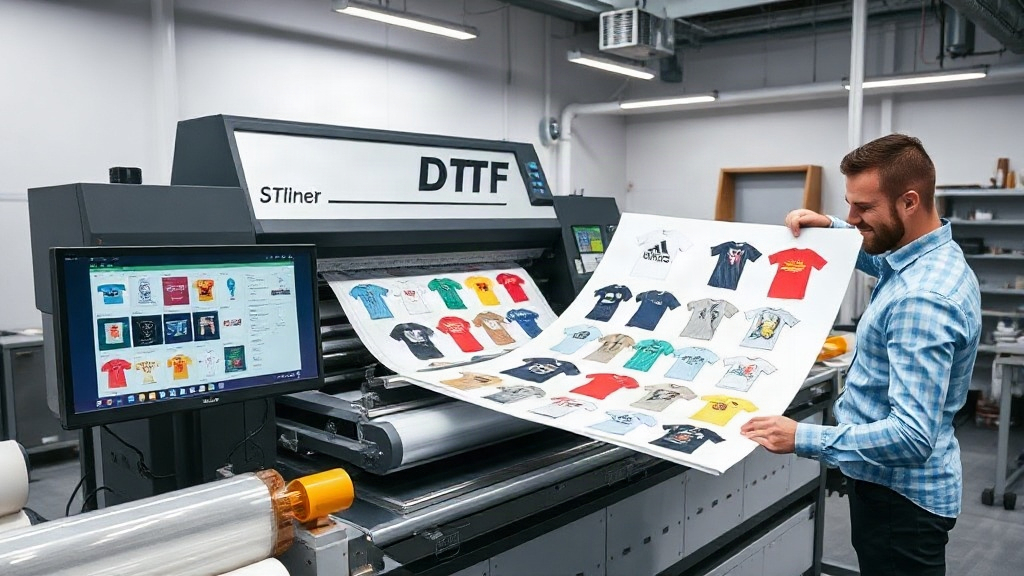
If you're in the custom apparel business, you've likely heard about DTF printing. It's a game-changer for creating vibrant, durable transfers on various fabrics. But as your orders grow, manually arranging designs becomes a bottleneck. That's where a DTF gangsheet builder comes in. This tool helps you nest multiple designs onto a single sheet, maximizing efficiency and minimizing waste. In this guide, we'll explore how to leverage a gangsheet builder to transform your production workflow.
What is a DTF Gangsheet Builder?
A DTF gangsheet builder is software that allows you to arrange multiple DTF transfer designs onto one large sheet before printing. Instead of printing each design individually, you combine them into a single gangsheet, which is then printed, powdered, and cured in one go. This approach saves time, reduces material waste, and lowers production costs. Think of it as a digital puzzle solver that optimizes every inch of your transfer film.
Why You Need a Gangsheet Builder for DTF Printing
Manual gangsheet creation is tedious and error-prone. You might spend hours in Photoshop or Illustrator, trying to fit designs without overlapping. A dedicated DTF gangsheet builder automates the process, letting you focus on creativity and customer service. Here are key benefits:
- Time savings: Automatically arranges designs in seconds, eliminating manual layout.
- Cost reduction: Maximizes film usage, reducing waste and lowering cost per transfer.
- Consistency: Ensures proper spacing and orientation, reducing printing errors.
- Scalability: Easily handle large orders with hundreds of designs.
How to Choose the Right DTF Gangsheet Builder
Not all gangsheet builders are created equal. When selecting a tool, consider these factors:
1. Ease of Use
Look for an intuitive interface that requires minimal training. Drag-and-drop functionality and preset templates can speed up your workflow.
2. Compatibility
Ensure the builder supports your printer's file formats (e.g., PNG, PDF) and integrates with your existing design software.
3. Nesting Algorithms
Advanced algorithms automatically rotate and position designs to minimize gaps. The more efficient the nesting, the more you save on film.
4. Pricing Model
Some builders are subscription-based, while others offer one-time purchases. Calculate the ROI based on your monthly volume.
Step-by-Step: Creating a Gangsheet with a Builder
Let's walk through the typical process using a DTF gangsheet builder:
- Upload your designs: Import PNG files with transparent backgrounds.
- Set sheet size: Choose the dimensions of your DTF film roll (e.g., 13" x 19").
- Auto-arrange: Let the software nest designs optimally. You can also manually adjust.
- Add cut lines: Some builders add cut lines for easy separation after printing.
- Export and print: Save the gangsheet as a high-resolution file and send it to your DTF printer.
Pro tip: Always leave a small margin between designs to prevent color bleeding during pressing.
Maximizing Efficiency with Your Gangsheet Builder
To get the most out of your DTF gangsheet builder, follow these best practices:
- Group similar sizes: Cluster small designs together to fill gaps around larger ones.
- Use rotation: Allow the software to rotate designs 90 degrees for better fit.
- Batch by order: Create separate gangsheets for different orders to streamline packaging.
- Monitor film usage: Track how much film you save over time to justify the investment.
Common Mistakes to Avoid
Even with a builder, some pitfalls can reduce efficiency:
- Overcrowding: Leaving too little space can cause transfers to merge.
- Ignoring resolution: Always use 300 DPI images to avoid pixelation.
- Forgetting mirroring: DTF transfers must be printed in mirror image; double-check settings.
- Neglecting maintenance: Keep your printer clean to prevent clogs that ruin entire sheets.
Integrating a Gangsheet Builder into Your Workflow
To seamlessly incorporate a DTF gangsheet builder, consider these integration tips:
- Automate order processing: Connect your e-commerce platform to automatically pull designs.
- Standardize file naming: Use consistent names for easy identification.
- Train your team: Ensure everyone knows how to use the builder efficiently.
- Regularly update software: New features can further optimize nesting.
Frequently Asked Questions
What is a DTF gangsheet builder?
A DTF gangsheet builder is software that arranges multiple DTF transfer designs onto a single sheet for efficient printing, saving time and materials.
Can I use a gangsheet builder with any DTF printer?
Most builders export standard file formats like PNG or PDF, which are compatible with virtually all DTF printers. However, check for specific printer requirements.
How much can I save by using a gangsheet builder?
Savings vary, but many users report up to 30% reduction in film waste and significant time savings, leading to lower production costs.
Is a gangsheet builder suitable for small businesses?
Absolutely. Even small shops benefit from reduced waste and faster turnaround. Many builders offer affordable plans for low-volume users.
Do I need design skills to use a gangsheet builder?
No, most builders are user-friendly and require only basic computer skills. Drag-and-drop interfaces make it easy for anyone to create gangsheets.
Embracing a DTF gangsheet builder is a smart move for any DTF printer looking to scale. It streamlines production, cuts costs, and improves consistency. With the right tool and a bit of practice, you'll wonder how you ever managed without it. Start exploring options today and watch your efficiency soar.